

How Much Does Website Design Cost? The 2025 Guide for Small Business Owners
When you build or refresh a website, the first question is almost always: how much will it cost—and what will it deliver? This guide defines website design cost, outlines the pricing factors shaping budgets in 2025, and shows how to turn that investment into measurable leads and revenue for a local-first business. You’ll get realistic price ranges for DIY, freelancer, and agency routes; see the major cost drivers like complexity and AI integration; and learn how to budget for maintenance and marketing. We also break down core pieces—domain, hosting, SSL, CMS, plugins—and offer phased, ROI-focused planning so you can pick the right provider and set a budget tied to lead-generation goals.
Average Website Design Cost for Small Businesses in 2025
Costs change depending on who you hire, the site’s scope, and the features required. In 2025 small businesses typically choose between low-cost DIY builds, mid-range freelancer projects, and full-service agency engagements that include strategy, SEO, and conversion optimization. Pricing depends on site type—brochure, service site, e-commerce, or a custom web app—and whether you add AI, local SEO, or CRO. Below we map provider price bands to common site types so you can set realistic expectations before choosing a vendor.
How DIY, Freelancer, and Agency Prices Compare for Small Business Websites
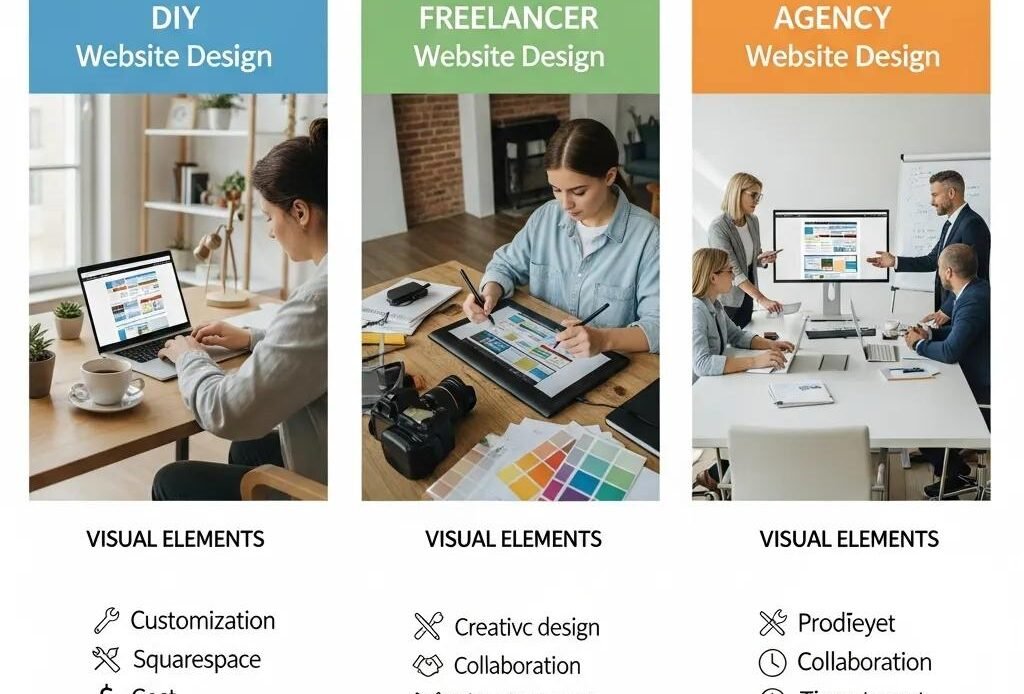
DIY builds usually cost mostly time plus platform and hosting fees, which makes them the cheapest out-of-pocket choice for simple brochure or portfolio sites. Freelancers typically charge more for custom design, content support, and modest integrations but can stay budget-friendly for straightforward projects. Agencies command higher fees because they bundle strategy, UX, local SEO, analytics, and faster delivery—services that accelerate lead generation. Choose based on priorities: control and low cash cost (DIY), affordable custom work (freelancer), or measurable growth and full-service execution (agency). Don’t forget hidden costs like time lost, missed conversions, and future scalability needs.
Quick reference: cost-by-site-type to help owners pick the right budget bracket.
| Website Type | Typical Price Range (min-max) | Typical Scope/Features |
|---|---|---|
| Simple brochure | $200 – $3,000 | Template-based pages, basic contact form, mobile-responsive layout |
| Small business service site | $1,500 – $10,000 | Custom design, CMS (WordPress), basic local SEO, conversion-focused pages |
| E-commerce (small catalog) | $3,000 – $20,000 | Product catalog, payment gateway, inventory basics, shipping setup |
| Custom web application | $20,000 – $100,000+ | Bespoke backend, CRM/ERP integrations, advanced workflows, AI features |
Use this table to match your site ambitions to a realistic budget so you can prioritize features that actually drive leads and revenue.
Key Factors That Influence Website Design Cost for Small Businesses
Several main variables determine a final price: project complexity, integrations, design and UX quality, content requirements, and the provider model you choose. Complexity and integrations increase development and testing time, while custom UX and high-quality media raise design and production costs. Ongoing technical needs—security, hosting performance, and AI-driven personalization—also lift both initial scope and recurring fees. Knowing these drivers helps you make trade-offs between upfront spend and long-term lead-generation capacity.
How Website Complexity and Functionality Affect Pricing
Features such as e-commerce, booking systems, CRM connections, and custom APIs add cost because they require secure payment flows, data mapping, and more testing. Off-the-shelf plugins can lower the price but may create maintenance risk or limit customization; bespoke development costs more but offers full flexibility. As a rule of thumb, adding complex features typically raises project cost by roughly 20–60% versus a basic brochure site, depending on whether plugins suffice or custom work’s needed. Choosing what to launch now versus later affects time-to-market and total budget.
Research like this shows how specific tools and design choices affect pricing and digital engagement for small businesses.
Website Design for Micro, Small, and Medium Enterprise (MSME) Product Pricing and Digital Engagement
This study examines digital adoption challenges and pricing-information design for MSMEs in Bekasi Regency, Indonesia. Conducted from November 2024 to January 2025, the research used mixed methods—including surveys of 150 MSMEs, validity and reliability testing (Cronbach’s alpha = 0.956), and iterative website development with CSS, HTML, JavaScript, and Laravel—to build a user-friendly site (www.produkumkmsejahtera.com). Methods included GPS-based price tracking and WhatsApp integration for customer interaction. The responsive design and updated branding increased engagement across craft and food sectors (weaving, leather, presto milkfish). Validity tests confirm the approach’s effectiveness.
Why UX/UI Design and Content Creation Raise Costs
Professional UX/UI work and original content improve conversions but require specialist skills and production time. UX research, wireframes, visual design, and usability testing extend timelines and add design fees; professional copy, photography, and video add media budgets. Those investments often pay back through higher conversion rates and lower acquisition costs because clearer UX and targeted content turn more visitors into leads. For many small businesses, allocating a meaningful portion of the budget to UX and content is an investment that improves lead volume and lead quality.
Essential Website Components and Their Individual Costs
A small business website has one-time build costs plus recurring items that keep it secure and discoverable. Core recurring and one-time pieces include domain registration, hosting, SSL, CMS setup, premium plugins, and initial SEO. Knowing typical 2025 price ranges for each component helps owners forecast annual budgets and decide which services to buy or delay. The breakdown below clarifies expected costs so you can avoid surprises during launch and the first year of operation.
Domain Names, Hosting, and SSL Costs in 2025
Domain registration is usually inexpensive, though renewals vary by TLD and registrar. Hosting costs depend on performance and management level: shared hosting is cheapest, while managed hosting or VPS gives better speed and security for lead-generation sites. Many managed hosts include SSL, but advanced certificates or extended validation add a small fee for extra trust. Managed hosting reduces technical burden and supports faster page loads and tighter security—both of which improve conversion potential for local-first businesses.
Hosting tier comparison and our recommendations.
| Hosting Tier | Typical Annual Cost | Recommendation for Small Businesses |
|---|---|---|
| Shared hosting | $50 – $250 | Good for brochure sites with low traffic; cost-effective but limited performance |
| VPS / Cloud | $240 – $1,200 | Balanced choice for moderate traffic and basic integrations; scalable |
| Managed hosting | $600 – $4,000+ | Recommended for lead-generation sites: performance, security, automated backups |
| E-commerce managed | $1,200 – $8,000+ | Best for stores with transactions, inventory, and payment compliance needs |
Matching hosting to your traffic and conversion goals reduces downtime and technical friction that can cost leads.
CMS Setup and SEO Optimization Costs for Small Business Websites
CMS platforms differ in cost: WordPress core is free but requires setup and premium themes/plugins; Shopify charges platform fees and app costs. CMS setup covers theme customization, plugin configuration, and basic training. Initial SEO—technical fixes, on-page work, and local listings—can be a one-time setup or an ongoing retainer depending on competition. Investing in SEO from the start ensures the site is discoverable and that early traffic can convert into measurable leads, multiplying the value of your initial design spend.
| Component | Typical Annual Cost | Notes/Considerations |
|---|---|---|
| Domain | $10 – $50 | Renewal prices vary by TLD; privacy protection adds a small fee |
| SSL | $0 – $150 | Basic certificates often included; paid certs add warranty/trust signals |
| CMS setup | $500 – $7,000 | Depends on theme customization and integrations |
| SEO initial setup | $500 – $5,000 | Technical, on-page, and local listings configuration |
| Plugins / apps | $50 – $1,500 | Costs vary by function: backups, forms, CRO, AI tools |
This component breakdown helps you budget for visible and hidden costs that affect uptime, security, and discovery.
How Ongoing Website Expenses Impact Your Small Business Budget
Ongoing costs—maintenance, hosting, security, content updates, and marketing—protect your initial investment and help grow leads. Annual operating costs commonly range from 15–30% of the initial build cost, depending on managed services and marketing spend. Skipping maintenance increases long-term risk and can lead to higher costs from security incidents, performance issues, or lost conversions. A first-year budget that includes technical upkeep and marketing positions a small business to turn a website into a steady lead source.
Typical Monthly and Annual Website Maintenance Costs

Below are common maintenance tiers and what each includes so you can match service level to risk and ROI.
Typical maintenance tiers for small businesses:
- Basic: Automated updates and backups; low monthly cost.
- Standard: Security monitoring, small content edits, and uptime checks.
- Premium: Monthly reporting, CRO testing, content production, and priority support.
Choosing the right maintenance tier preserves conversions and reduces the chance of unexpected downtime or lost leads.
How Marketing and SEO Integration Affect Long-Term Website Expenses
Marketing—local SEO, content, PPC, and social—scales with your growth goals and directly influences acquisition costs. Early on you may need paid channels while organic SEO ramps up; over time strong SEO and content will lower cost-per-lead. Budget for ongoing marketing in the first 6–12 months: many providers suggest a separate monthly marketing budget to accelerate measurable lead growth. Integrating analytics and CRO into regular workflows makes recurring expenses work toward revenue rather than just traffic.
Should Small Businesses Build Their Website Themselves or Hire Professionals?
Choose between DIY, freelancers, or agencies based on budget, technical comfort, time, and growth goals. DIY fits businesses that need a basic presence and can trade time for lower cost. Freelancers offer a middle ground—customization at a reasonable price for moderately complex projects. Agencies deliver end-to-end strategy, faster execution, and measurable growth—especially useful for local-first businesses focused on lead generation. The right choice maps to expected ROI, internal bandwidth, and how critical professional UX and SEO are to your model.
Cost Differences Between DIY, Freelancers, and Agencies
DIY primarily costs platform subscriptions and time, offering the lowest cash outlay but higher indirect costs like missed conversions. Freelancers charge per project or hourly and can provide cost-effective custom work but may not offer full-service marketing or long-term reporting. Agencies have higher upfront costs but often deliver measurable outcomes via strategy, CRO, and integrated marketing that speed lead growth. When comparing options, account for indirect costs such as time-to-launch, ongoing maintenance, and lost revenue from poor UX.
Quick comparison table to guide your decision.
| Provider Type | Average Cost Range | Pros | Cons |
|---|---|---|---|
| DIY | $0 – $1,000 | Lowest cash cost; full control | Time-intensive; limited technical depth |
| Freelancer | $1,000 – $10,000 | Cost-effective customization; flexible | Variable reliability; limited scale |
| Agency | $7,000 – $75,000+ | Strategy, measurement, fast turnaround | Higher upfront cost; minimum budgets |
Cost reflects scope and outcomes: agencies usually deliver measurable, scalable lead-generation capabilities that justify larger investments for growth-focused businesses.
How Hiring a Professional Improves ROI and Lead Generation
Professionals remove friction in design, UX, local SEO, and conversion optimization—directly improving lead volume and quality. Benefits include higher conversion rates from better UX, faster indexation and ranking from technical SEO, and more qualified traffic from targeted campaigns. Professional services speed up analytics-driven iterations so you can optimize revenue per dollar faster. For locally focused businesses, partnering with an agency that ties design to measurable growth often gets you to profitable acquisition sooner.
When choosing an agency partner, look for local-first strategies, clear reporting, fast turnarounds, and a data-driven approach to optimization.
How Small Business Owners Can Budget Smartly and Maximize ROI
Smart budgeting starts with clear goals: target monthly leads, expected conversion rates, and an acceptable cost-per-acquisition. Prioritize features that support lead capture—strong CTAs, mobile performance, fast load times, and local SEO—then phase lower-impact items later. Reserve part of the budget for UX and content since these consistently boost conversion rates. Launch a minimum viable, lead-generating site quickly, then reinvest early revenue into iterative improvements like AI personalization and CRO testing.
Cost-Saving Strategies That Don’t Sacrifice Quality
Phasing your build lets you ship fast and invest based on real results rather than assumptions.
Practical phased roadmap example:
- Phase 1 (Launch): Core pages, mobile-first design, contact and booking forms, basic SEO.
- Phase 2 (Grow): Local SEO expansion, analytics setup, CRO testing, additional content.
- Phase 3 (Scale): E-commerce or advanced integrations, AI personalization, automated lead flows.
Phase to match cash flow and measure ROI before scaling—this reduces risk and focuses spend where it moves the needle.
How Investing in UX and AI Integration Boosts ROI in 2025
Better UX cuts friction and raises conversion rates; AI—chatbots, personalization, content automation—improves lead-capture efficiency and visitor experience. AI can reduce support costs and speed responses, converting more visitors into qualified leads. The incremental cost of intelligent automation often repays through higher conversion and less manual work for small teams. Track conversion metrics, attribution, and revenue per lead so UX and AI investments are measured against real returns.
If you’d rather have experts convert your website investment into predictable leads and revenue, Command Local builds modern, local-first websites with AI tools and clear, data-driven reporting. Our Website Design & Hosting services focus on fast turnarounds and measurable growth for busy owners—helping turn design spend into predictable calls and leads while keeping local expertise front and center.
- Next step: request a personalized estimate or a free website strategy call so we can align your budget to expected lead targets and ROI.
Frequently Asked Questions
What hidden costs come with website design?
Beyond the initial project fee consider ongoing maintenance, updates, and security—these add up. Also budget for premium plugins, third-party services, and future redesigns or enhancements. Factor in training time for staff who manage the site and possible downtime during updates, which can affect revenue.
How can small businesses measure website ROI?
Track KPIs like conversion rate, lead volume, and customer acquisition cost. Tools such as Google Analytics show traffic sources, behavior, and engagement. Compare revenue from leads generated by the site to total spend on design, maintenance, and marketing to evaluate effectiveness and guide future investment.
How does mobile optimization affect website costs?
Mobile optimization is essential—many visitors come from phones. Building a mobile-responsive site can add testing and development time, which increases initial cost. But mobile-friendly design typically raises conversions and user satisfaction, making the investment worthwhile.
How often should a small business update its website?
Regular updates keep your site secure, fast, and relevant. Review and update content, SEO, and plugins at least every six months. Seasonal updates or promotion-specific changes help keep returning visitors engaged. Frequent maintenance improves rankings and lead generation over time.
What are the benefits of professional SEO services?
Professional SEO increases visibility and organic traffic. Experts handle keyword research, on-page optimization, and audience-focused content, which makes it easier for customers to find you. While there’s an upfront cost, improved rankings and conversions typically deliver strong long-term ROI.
How should small businesses budget for ongoing website expenses?
Estimate annual costs for hosting, maintenance, and marketing. A practical rule is to allocate 15–30% of the initial design cost for yearly upkeep. Build a detailed budget that includes domain renewals, content updates, and a contingency fund for unexpected expenses to keep the site functioning and generating leads.
Conclusion
Knowing website costs lets small business owners make choices that match growth goals. By weighing provider type, essential components, and recurring expenses, you can budget for both launch and ongoing needs. Investing in strong design and SEO drives better lead generation and higher conversion rates—so plan deliberately, phase the work, and measure results. When you’re ready, explore tailored website solutions that match your needs and turn investment into predictable revenue.